

Configure the JMeter BeanShell Assertion assertions: properties, defaults, and practical usage notes for building reliable load tests.
Part of the Assertions category. Also documented in context in the full Component Reference.
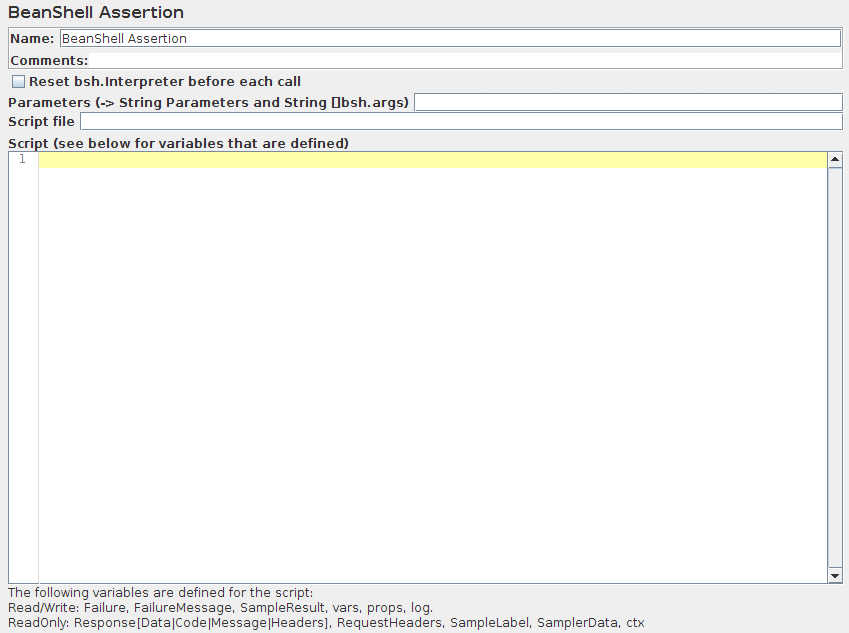
The BeanShell Assertion allows the user to perform assertion checking using a BeanShell script.
For full details on using BeanShell, please see the BeanShell website.
Note that a different Interpreter is used for each independent occurrence of the assertion in each thread in a test script, but the same Interpreter is used for subsequent invocations. This means that variables persist across calls to the assertion.
All Assertions are called from the same thread as the sampler.
If the property “beanshell.assertion.init” is defined, it is passed to the Interpreter
as the name of a sourced file. This can be used to define common methods and variables.
There is a sample init file in the bin directory: BeanShellAssertion.bshrc
The test element supports the ThreadListener and TestListener methods.
These should be defined in the initialisation file.
See the file BeanShellListeners.bshrc for example definitions.
| Name | Required | Description |
|---|---|---|
| Name | No | Descriptive name for this element that is shown in the tree. The name is stored in the script variable Label |
| Reset bsh.Interpreter before each call | Yes | If this option is selected, then the interpreter will be recreated for each sample. This may be necessary for some long running scripts. For further information, see Best Practices - BeanShell scripting. |
| Parameters | No | Parameters to pass to the BeanShell script. The parameters are stored in the following variables: - Parameters - string containing the parameters as a single variable - bsh.args - String array containing parameters, split on white-space |
| Script file | No | A file containing the BeanShell script to run. This overrides the script. The file name is stored in the script variable FileName |
| Script | Yes (unless script file is provided) | The BeanShell script to run. The return value is ignored. |
There’s a sample script you can try.
Before invoking the script, some variables are set up in the BeanShell interpreter. These are strings unless otherwise noted:
log- the Logger Object. (e.g.)log.warn("Message"[,Throwable])SampleResult,prev- the SampleResult Object; read-writeResponse- the response Object; read-writeFailure- boolean; read-write; used to set the Assertion statusFailureMessage- String; read-write; used to set the Assertion messageResponseData- the response body (byte [])ResponseCode- e.g.200ResponseMessage- e.g.OKResponseHeaders- contains the HTTP headersRequestHeaders- contains the HTTP headers sent to the serverSampleLabelSamplerData- data that was sent to the serverctx- JMeterContextvars- JMeterVariables - e.g.vars.get("VAR1"); vars.put("VAR2","value"); vars.putObject("OBJ1",new Object());props- JMeterProperties (classjava.util.Properties) - e.g.props.get("START.HMS"); props.put("PROP1","1234");
The following methods of the Response object may be useful:
setStopThread(boolean)setStopTest(boolean)String getSampleLabel()setSampleLabel(String)