

Configure the JMeter Constant Throughput Timer timers: properties, defaults, and practical usage notes for building reliable load tests.
Part of the Timers category. Also documented in context in the full Component Reference.
TL;DR: the Constant Throughput Timer pads each sample with just enough delay to hold the whole test (or a scope of it) at a target requests-per-minute rate, regardless of how many threads are running.
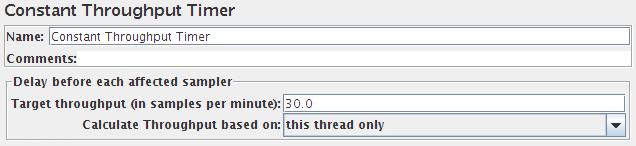
This timer introduces variable pauses, calculated to keep the total throughput (in terms of samples per minute) as close as possible to a given figure. Of course the throughput will be lower if the server is not capable of handling it, or if other timers or time-consuming test elements prevent it.
N.B. although the Timer is called the Constant Throughput timer, the throughput value does not need to be constant. It can be defined in terms of a variable or function call, and the value can be changed during a test. The value can be changed in various ways:
- using a counter variable
- using a
__jexl3,__groovyfunction to provide a changing value - using the remote BeanShell server to change a JMeter property
See Best Practices for further details.
| Name | Required | Description |
|---|---|---|
| Name | No | Descriptive name for this timer that is shown in the tree. |
| Target Throughput | Yes | Throughput we want the timer to try to generate. |
| Calculate Throughput based on | Yes | - this thread only - each thread will try to maintain the target throughput. The overall throughput will be proportional to the number of active threads. - all active threads in current thread group - the target throughput is divided amongst all the active threads in the group. Each thread will delay as needed, based on when it last ran. - all active threads - the target throughput is divided amongst all the active threads in all Thread Groups. Each thread will delay as needed, based on when it last ran. In this case, each other Thread Group will need a Constant Throughput timer with the same settings. - all active threads in current thread group (shared) - as above, but each thread is delayed based on when any thread in the group last ran. - all active threads (shared) - as above; each thread is delayed based on when any thread last ran. |
Common gotchas
Section titled “Common gotchas”- The name is misleading: it’s throughput per minute, not per second — a target of
600means 10 requests/sec, not 600/sec. - “Calculate Throughput based on” matters: “this timer” vs “all active threads in current thread group” vs “all active threads” change whether the rate is per-timer-instance or shared across threads — pick the scope that matches what you’re modeling.
- This timer can only slow requests down to the target; if your server can’t keep up, throughput will fall below target regardless of the setting, and you’re measuring server capacity, not the timer.
- For step/ramp load shapes instead of a flat target rate, a Concurrency Thread Group with staged ramps is usually a better fit than throttling with this timer alone.