

Configure the JMeter Response Assertion assertions: properties, defaults, and practical usage notes for building reliable load tests.
Part of the Assertions category. Also documented in context in the full Component Reference.
TL;DR: the Response Assertion checks a sample’s response (body, code, message, or headers) against a pattern and fails the sample if it doesn’t match — the primary way to catch “200 OK but wrong content” failures that raw HTTP status codes miss.
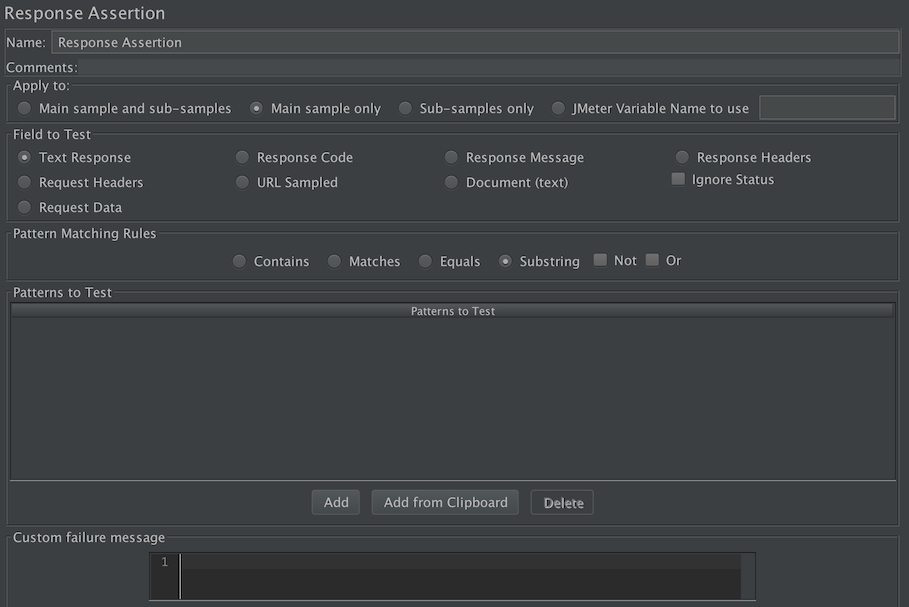
The response assertion control panel lets you add pattern strings to be compared against various fields of the request or response. The pattern strings are:
-
Contains,Matches: Perl5-style regular expressions -
Equals,Substring: plain text, case-sensitiveA summary of the pattern matching characters can be found at ORO Perl5 regular expressions.
You can also choose whether the strings will be expected to match the entire response, or if the response is only expected to contain the pattern. You can attach multiple assertions to any controller for additional flexibility.
Note that the pattern string should not include the enclosing delimiters,
i.e. use Price: \d+ not /Price: \d+/.
By default, the pattern is in multi-line mode, which means that the “.” meta-character does not match newline.
In multi-line mode, “^” and “$” match the start or end of any line anywhere within the string
- not just the start and end of the entire string. Note that
\sdoes match new-line. Case is also significant. To override these settings, one can use the extended regular expression syntax. For example:
(?i)
: ignore case
(?s)
: treat target as single line, i.e. “.” matches new-line
(?is)
: both the above
These can be used anywhere within the expression and remain in effect until overridden. E.g.
(?i)apple(?-i) Pie
: matches “ApPLe Pie”, but not “ApPLe pIe”
(?s)Apple.+?Pie
: matches Apple followed by Pie, which may be on a subsequent line.
Apple(?s).+?Pie
: same as above, but it’s probably clearer to use the (?s) at the start.
| Name | Required | Description |
|---|---|---|
| Name | No | Descriptive name for this element that is shown in the tree. |
| Apply to: | Yes | This is for use with samplers that can generate sub-samples, e.g. HTTP Sampler with embedded resources, Mail Reader or samples generated by the Transaction Controller. - Main sample only - only applies to the main sample - Sub-samples only - only applies to the sub-samples - Main sample and sub-samples - applies to both. - JMeter Variable Name to use - assertion is to be applied to the contents of the named variable |
| Field to Test | Yes | Instructs JMeter which field of the Request or Response to test. - Text Response - the response text from the server, i.e. the body, excluding any HTTP headers. - Request data - the request text sent to the server, i.e. the body, excluding any HTTP headers. - Response Code - e.g. 200 - Response Message - e.g. OK - Response Headers, including Set-Cookie headers (if any) - Request Headers - URL sampled - Document (text) - the extract text from various type of documents via Apache Tika (see View Results Tree Document view section). |
| Ignore status | Yes | Instructs JMeter to set the status to success initially. The overall success of the sample is determined by combining the result of the assertion with the existing Response status. When the Ignore Status checkbox is selected, the Response status is forced to successful before evaluating the Assertion. HTTP Responses with statuses in the 4xx and 5xx ranges are normally regarded as unsuccessful. The “Ignore status” checkbox can be used to set the status successful before performing further checks. :::note Note that this will have the effect of clearing any previous assertion failures, so make sure that this is only set on the first assertion. ::: |
| Pattern Matching Rules | Yes | Indicates how the text being tested is checked against the pattern. - Contains - true if the text contains the regular expression pattern - Matches - true if the whole text matches the regular expression pattern - Equals - true if the whole text equals the pattern string (case-sensitive) - Substring - true if the text contains the pattern string (case-sensitive) Equals and Substring patterns are plain strings, not regular expressions. NOT may also be selected to invert the result of the check. OR Apply each assertion in OR combination (if 1 pattern to test matches, Assertion will be ok) instead of AND (All patterns must match so that Assertion is OK). |
| Patterns to Test | Yes | A list of patterns to be tested. Each pattern is tested separately. If a pattern fails, then further patterns are not checked. There is no difference between setting up one Assertion with multiple patterns and setting up multiple Assertions with one pattern each (assuming the other options are the same). :::note However, when the Ignore Status checkbox is selected, this has the effect of cancelling any previous assertion failures - so make sure that the Ignore Status checkbox is only used on the first Assertion. ::: |
| Custom failure message | No | Lets you define the failure message that will replace the generated one |
The pattern is a Perl5-style regular expression, but without the enclosing brackets.
Assertion Examples
Section titled “Assertion Examples”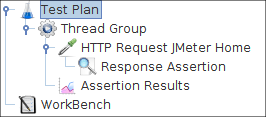 Figure 14 - Test Plan
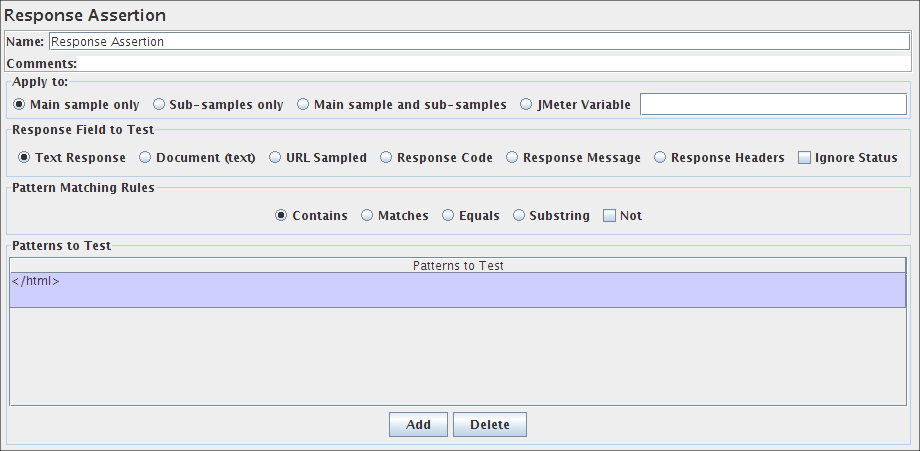 Figure 15 - Assertion Control Panel with Pattern
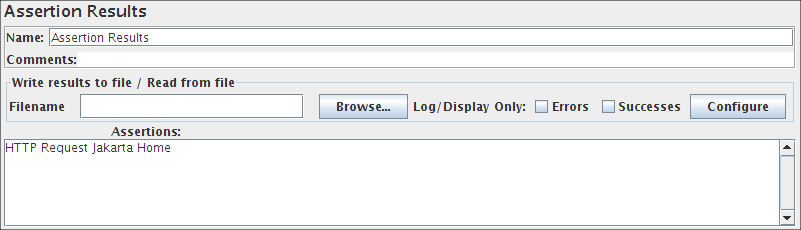 Figure 16 - Assertion Listener Results (Pass)
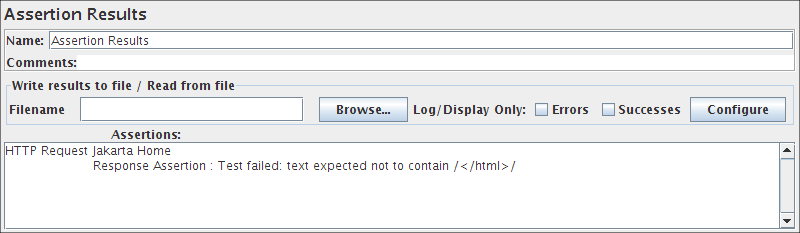 Figure 17 - Assertion Listener Results (Fail)
Common gotchas
Section titled “Common gotchas”- Test field matters: “Text Response” checks the body, but for APIs you usually also want a “Response Code” assertion — a 500 error page can still return
200 OKfrom a misbehaving upstream proxy. - “Contains” vs “Matches”: “Contains” does a substring/regex search anywhere in the field; “Matches” requires the whole field to match the pattern. Picking the wrong one is a common source of false failures.
- Assertions only run if the sampler executes — if a request times out entirely, you’ll see a sampler error, not a failed assertion; check both when triaging failures.
- For SLA-style pass/fail criteria (percentile thresholds, not just content checks), see Assertions & SLA Validation.