

Configure the JMeter Bolt Request samplers: properties, defaults, and practical usage notes for building reliable load tests.
Part of the Samplers category. Also documented in context in the full Component Reference.
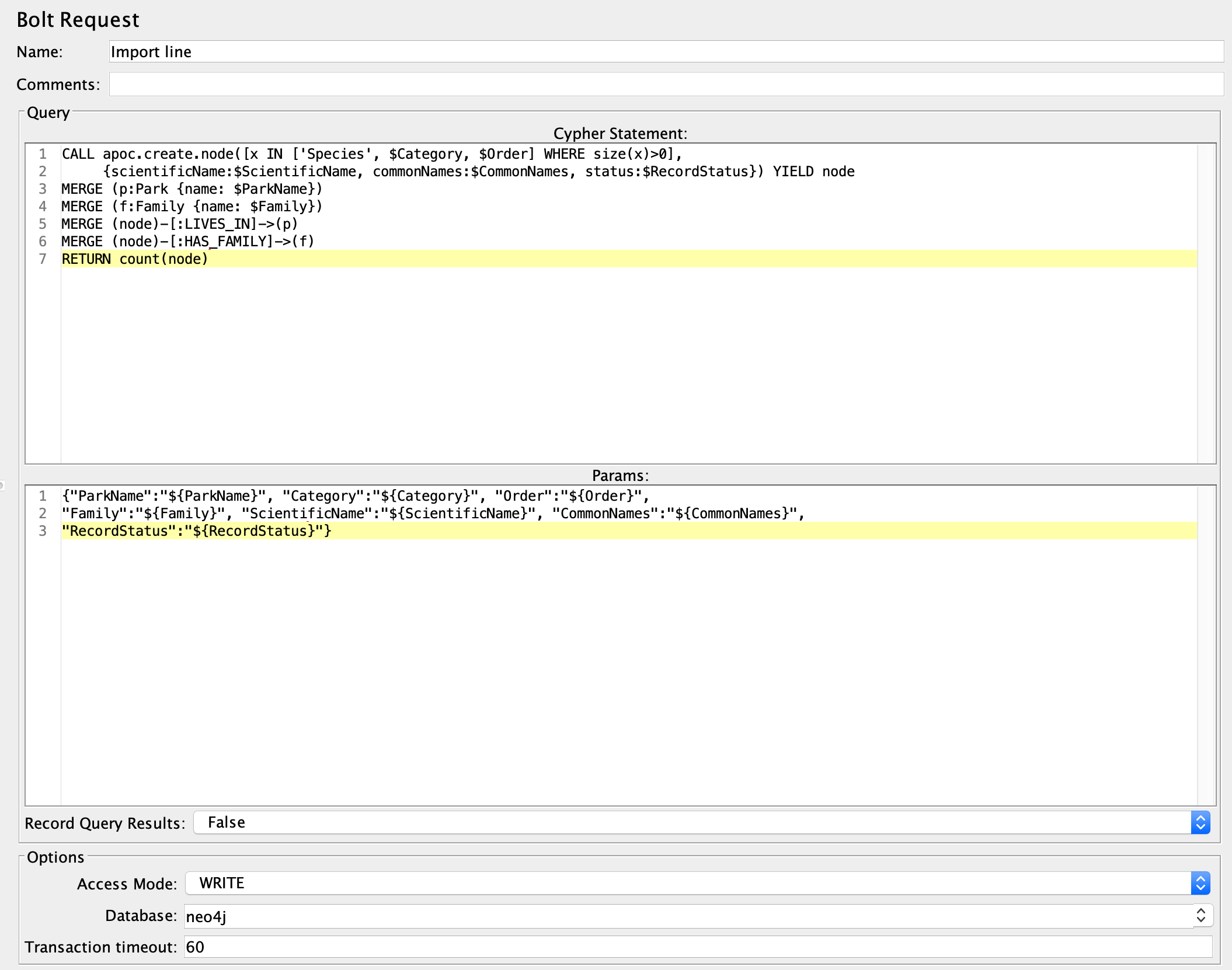
This sampler allows you to run Cypher queries through the Bolt protocol.
Before using this you need to set up a Bolt Connection Configuration
Every request uses a connection acquired from the pool and returns it to the pool when the sampler completes. The connection pool size defaults to 100 and is configurable.
The measured response time corresponds to the “full” query execution, including both the time to execute the cypher query AND the time to consume the results sent back by the database.
| Name | Required | Description |
|---|---|---|
| Name | No | Descriptive name for this sampler that is shown in the tree. |
| Comments | No | Free text for additional details. |
| Cypher statement | Yes | The query to execute. |
| Params | No | The parameter values, JSON formatted. |
| Record Query Results | No | Whether to add or not query result data to the sampler response (default false). Note that activating this has a memory overhead, use it wisely. |
| Access Mode | Yes | Whether to access the database in WRITE or READ mode. Use WRITE for a standalone Neo4j instance. For a Neo4j cluster, select mode depending on whether the query writes to the database. That setting will allow correct routing to the cluster leader, followers or read replicas. |
| Database | No | The database to run the query against. Required for Neo4j 4.0+, unless querying the default database. Must be undefined for Neo4j 3.5. |
| Transaction timeout | No | Timeout for the transaction. |
Related
Section titled “Related”Was this page helpful?
Thanks for the feedback!Tell us what's missing on GitHub