

Configure the JMeter BeanShell PostProcessor post-processors: properties, defaults, and practical usage notes for building reliable load tests.
Part of the Post-Processors category. Also documented in context in the full Component Reference.
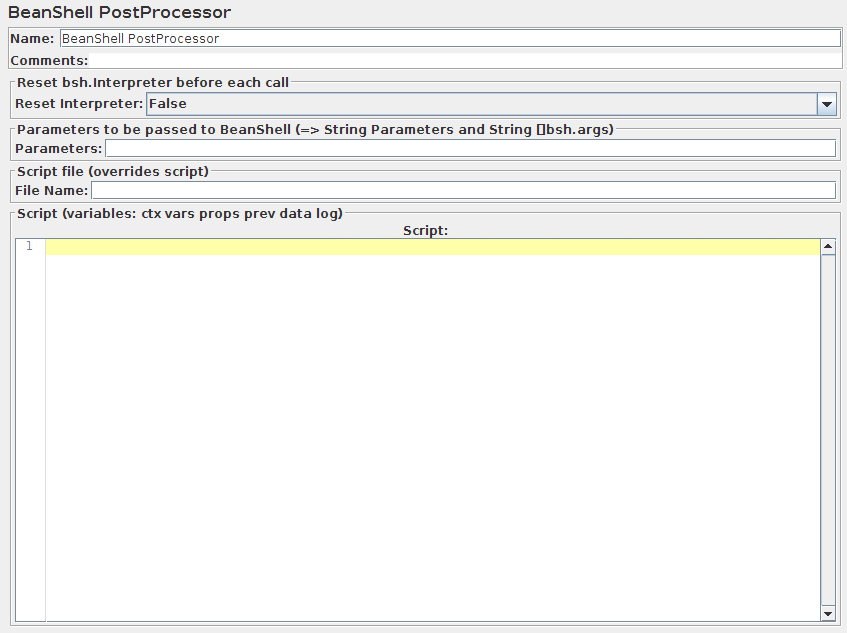
The BeanShell PreProcessor allows arbitrary code to be applied after taking a sample.
BeanShell Post-Processor no longer ignores samples with zero-length result data
For full details on using BeanShell, please see the BeanShell website.
The test element supports the ThreadListener and TestListener methods.
These should be defined in the initialisation file.
See the file BeanShellListeners.bshrc for example definitions.
| Name | Required | Description |
|---|---|---|
| Name | No | Descriptive name for this element that is shown in the tree. The name is stored in the script variable Label |
| Reset bsh.Interpreter before each call | Yes | If this option is selected, then the interpreter will be recreated for each sample. This may be necessary for some long running scripts. For further information, see Best Practices - BeanShell scripting. |
| Parameters | No | Parameters to pass to the BeanShell script. The parameters are stored in the following variables: - Parameters - string containing the parameters as a single variable - bsh.args - String array containing parameters, split on white-space |
| Script file | No | A file containing the BeanShell script to run. The file name is stored in the script variable FileName |
| Script | Yes (unless script file is provided) | The BeanShell script. The return value is ignored. |
The following BeanShell variables are set up for use by the script:
log- (Logger) - can be used to write to the log filectx- (JMeterContext) - gives access to the contextvars- (JMeterVariables) - gives read/write access to variables:vars.get(key); vars.put(key,val); vars.putObject("OBJ1",new Object());props- (JMeterProperties - class java.util.Properties) - e.g.props.get("START.HMS");props.put("PROP1","1234");prev- (SampleResult) - gives access to the previous SampleResultdata- (byte [])- gives access to the current sample data
For details of all the methods available on each of the above variables, please check the Javadoc
If the property beanshell.postprocessor.init is defined, this is used to load an initialisation file, which can be used to define methods etc. for use in the BeanShell script.