

Configure the JMeter Switch Controller logic controllers: properties, defaults, and practical usage notes for building reliable load tests.
Part of the Logic Controllers category. Also documented in context in the full Component Reference.
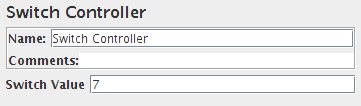
The Switch Controller acts like the Interleave Controller in that it runs one of the subordinate elements on each iteration, but rather than run them in sequence, the controller runs the element defined by the switch value.
If the switch value is out of range, it will run the zeroth element, which therefore acts as the default for the numeric case. It also runs the zeroth element if the value is the empty string.
If the value is non-numeric (and non-empty), then the Switch Controller looks for the
element with the same name (case is significant).
If none of the names match, then the element named “default” (case not significant) is selected.
If there is no default, then no element is selected, and the controller will not run anything.
| Name | Required | Description |
|---|---|---|
| Name | No | Descriptive name for this controller that is shown in the tree. |
| Switch Value | No | The number (or name) of the subordinate element to be invoked. Elements are numbered from 0. Defaults to 0 |