

Configure the JMeter Include Controller logic controllers: properties, defaults, and practical usage notes for building reliable load tests.
Part of the Logic Controllers category. Also documented in context in the full Component Reference.
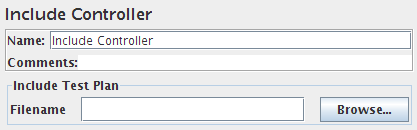
The include controller is designed to use an external JMX file. To use it, create a Test Fragment underneath the Test Plan and add any desired samplers, controllers etc. below it. Then save the Test Plan. The file is now ready to be included as part of other Test Plans.
For convenience, a Thread Group can also be added in the external JMX file for debugging purposes. A Module Controller can be used to reference the Test Fragment. The Thread Group will be ignored during the include process.
If the test uses a Cookie Manager or User Defined Variables, these should be placed in the top-level test plan, not the included file, otherwise they are not guaranteed to work.
If the file cannot be found at the location given by prefix+Filename, then the controller
attempts to open the Filename relative to the JMX launch directory.
| Name | Required | Description |
|---|---|---|
| Filename | Yes | The file to include. |